Features
Everything CandleWarden does
One desktop app for the whole trading day: the chart, the orders, the rules, the bots, the news and the results. Every feature below is in the app today.
Account rules
- Daily profit & loss limitIn dollars, or as a percent of the higher of the day’s opening balance and equity, the way funded firms count it. When it is reached, open positions close and nothing trades until the firm’s next day.
- Account loss floorA loss limit over 2 to 30 trading days. When equity falls the share you set under the balance at the start of the period, trading stops until the period ends.
- No trading around news5 minutes before to 5 minutes after high-impact news, 10 minutes around speeches, matched to the currencies of each symbol. The four times are yours to set.
- Lot ladder by balanceEvery step of balance allows one more step of lot size, under a hard cap. A larger order is refused; a larger position opened from MT5 is closed.
- Daily trade countEvery new position counts, from the app or straight from MT5, including ones opened while the app was closed.
- Allowed market sessionsOrders outside the sessions you choose are refused. A new trade also waits while the spread is wider than a set multiple of its normal.
Trading
- Order ticket on the chartMarket, limit and stop orders with take profit and stop loss, placed from the chart.
- Pending orders and OCOOrders waiting at the broker for their price, and pairs where one cancels the other.
- Several accountsAccounts in groups, each with its own page, history and results.
- Protection for manual tradesStop loss, take profit and limits for trades you open by hand, even in MT5 itself.
- Emergency stopOne button stops every bot and closes every open position.
Charts and market
- 80+ indicatorsDrawn by kind, each with its own inputs and style, and computed the same way the bots compute them.
- Several timeframesSide by side on one screen, on your broker’s own candles.
- Linked symbolsSymbols that move together or against each other, with thermometers on the MT5 chart.
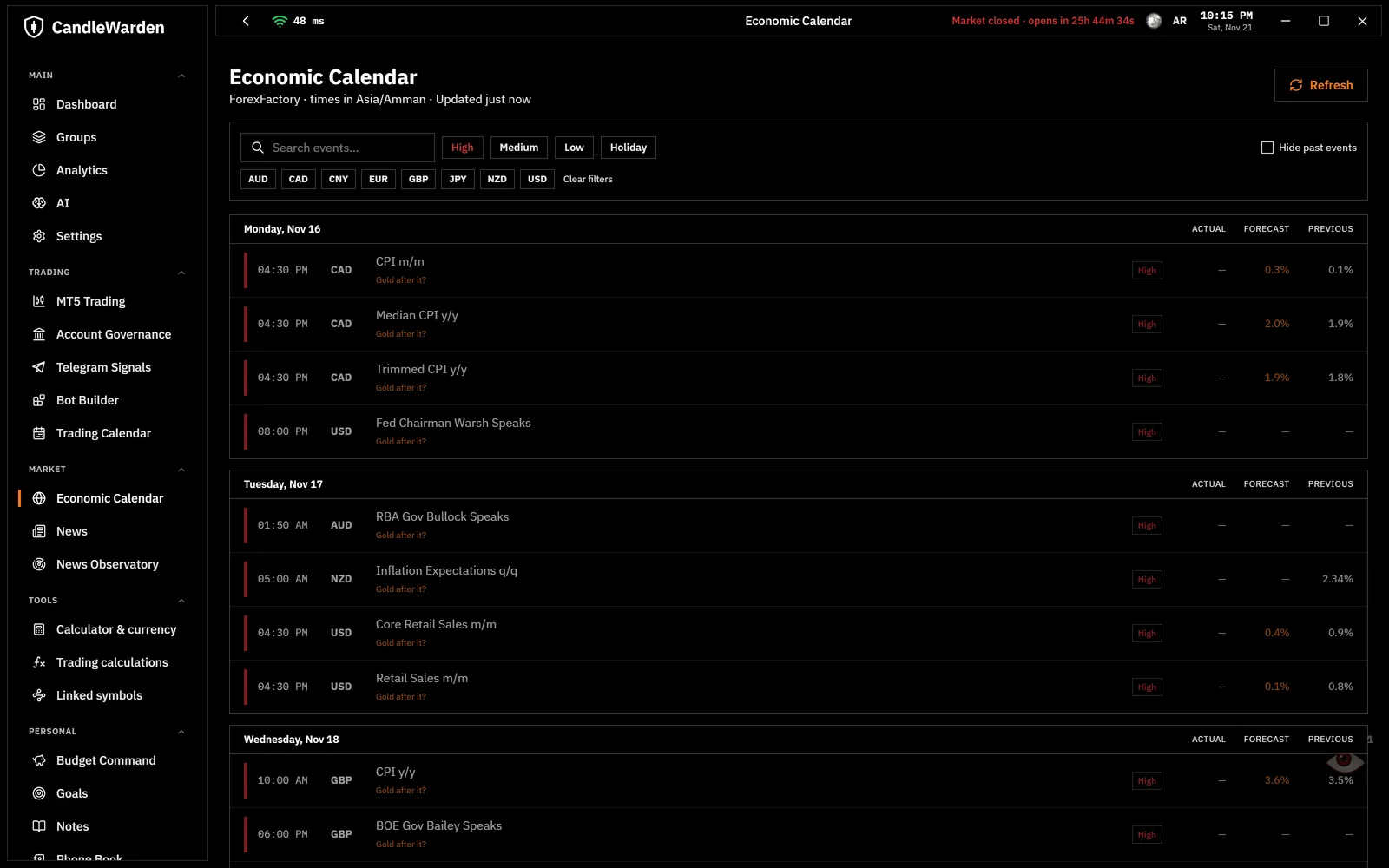
- Economic calendarHigh, medium and low impact, in your own time zone, with a countdown to the next event.
- News observatoryReads news sites, Google News, GDELT, Bluesky and Telegram channels, and measures what each kind of news did to the market within an hour.
Bots and research
- No-code bot builderIndicators, conditions, trading windows in a real time zone, a news filter, trailing stop and partial close.
- Backtests with real costsOn your broker’s history, paying its spread and commission on every entry.
- OptimizerSearches the settings and turns the best result into a bot.
- Study this botChecks whether a result holds on candles it was not built on, with doubled costs, and whether the reversed signal loses.
- Bot monitor and safety limitsWhy each bot entered or stayed out, and limits on lots, open trades and daily loss for all bots together.
Telegram
- Signal copierReads trade messages from the channels you choose and places them with your lot, stop and target.
- Pending orders from signals«Buy limit 4145» becomes an order waiting at the broker.
- Your own signals channelPosts your bots’ trades to a private Telegram channel that you own.
- Alerts on TelegramA price level, a time or a closed trade, sent to you wherever you are.
Results
- Results from trades onlyAdded trade by trade from zero: deposits and withdrawals never make a result look better.
- By sourceBy hand, each bot, each Telegram channel and the copier, best first.
- What your broker tookThe spread, commission and swap you paid, to compare two brokers side by side.
- How deep trades goHow far each trade went against you and for you before it closed, to give stops the room they need.
- Trade replayAny closed trade replayed candle by candle, pausing at the entry and the exit.
- Trading calendar and reportEvery day’s result on a calendar, and a full report to save.
Tools
- Risk calculatorThe lot size for the dollars you are willing to lose, on the symbol you trade.
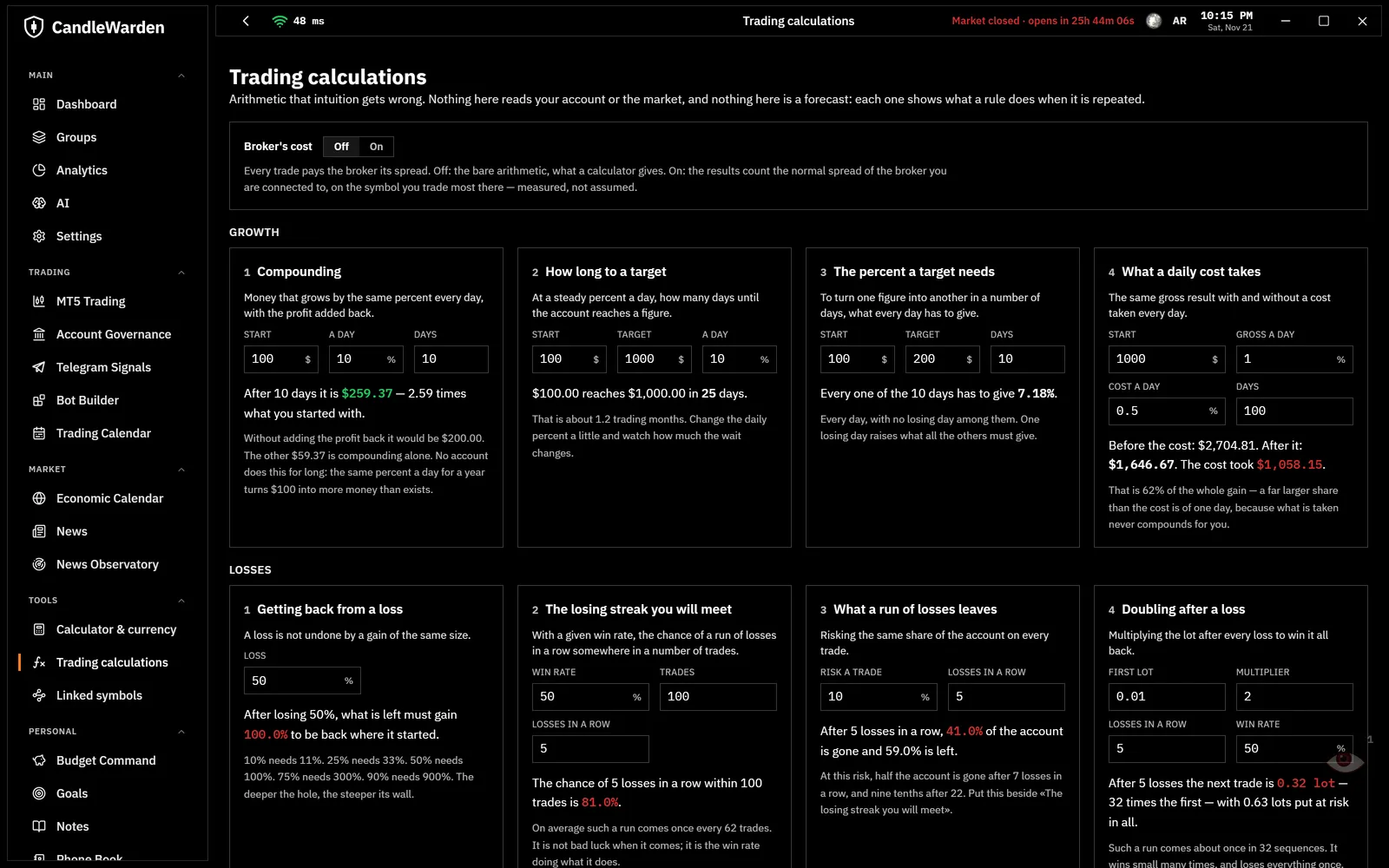
- Trading calculationsCompounding, losing streaks, getting back from a loss, the cost of a daily fee: the arithmetic intuition gets wrong.
- Currency converterLive rates for the world’s currencies.
- AI with your own keyAsk about your trades with ChatGPT, Claude, Gemini, Grok, DeepSeek, Mistral and others, or a model that runs on your own computer.
- For AI assistants on your PCClaude Desktop and other assistants can read your accounts and trades, read only, when you turn it on.
Your data and the app
- Stays on your computerEncrypted on your PC, with an encrypted backup every day in your Documents folder.
- Three clocksEvery time shown in your own clock, the broker’s and UTC.
- English and ArabicThe whole app in both languages, switched in Settings.
- Light, dark and eight themesFrom a plain light or dark screen to eight themed looks.